
Download Booster Cleaner – Android, Free, Tool, Utility, PC Software, Desktop Application
Overview
Booster Cleaner is a free Android utility designed to enhance device performance through system optimization. Developed by NetQin, the application aims to improve speed, clear unnecessary files, and manage memory efficiently. It targets everyday smartphone users seeking a simple way to maintain their device’s responsiveness without technical expertise.
The software is particularly useful for users with older Android models, as it supports Android 4.4 and above, ensuring broad compatibility across legacy devices. Real-world usage scenarios include daily performance tuning, clearing cache and junk files, and managing app behavior to reduce background activity. By organizing installed applications and offering a whitelist feature, the tool helps users prioritize frequently used apps for faster access.
It also includes a battery status viewer, allowing users to monitor remaining power levels. These capabilities collectively address common frustrations such as lag, slow app launches, and rapid battery drain.
Key Features & Capabilities
- System Performance Boosting: Analyzes and optimizes system resources to improve overall device speed and responsiveness.
- Junk and Cache File Removal: Automatically identifies and deletes temporary and redundant files to free up storage space.
- Memory Management: Clears background processes and unused RAM to enhance multitasking performance.
- App Manager: Allows users to organize installed applications, disable unused ones, and manage permissions.
- Whitelist Functionality: Enables users to prioritize specific apps, ensuring they remain active and accessible even during optimization cycles.
- Battery Status Viewer: Displays real-time battery life and health information for better energy management.
- Battery Management Modes: Offers three operational modes—Long Standby, Sleep, and Normal—to adapt performance based on usage patterns.
These features are especially beneficial in scenarios where users experience sluggish performance due to accumulated cache or background app activity. For example, a user with an older Android device can use the app to reclaim storage and improve launch times. The whitelist feature ensures that essential apps like messaging or navigation tools remain responsive. Battery management modes help extend device longevity by adjusting power consumption based on user habits. The tool’s lightweight design ensures minimal impact on system resources, making it suitable for devices with limited storage and processing power.
User Interface, Workflow & Performance
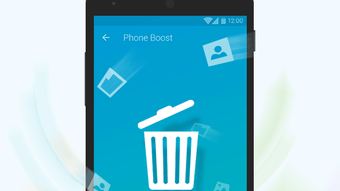
The user interface of Booster Cleaner is designed with simplicity in mind, focusing on intuitive navigation and accessibility. Core functions such as cleaning, boosting, and battery management are presented through a clean, menu-driven layout. Users can access each feature with minimal steps, making the workflow efficient for non-technical individuals.
The app follows a linear progression: initiate a scan, review results, and apply optimizations with a single tap. Navigation is consistent across screens, reducing the learning curve. While specific performance data such as CPU or RAM usage were not provided, the developer emphasizes the app’s lightweight nature, suggesting minimal overhead during operation.
Stability is implied through its compatibility with older Android versions, indicating reliable execution on constrained hardware. The developer did not specify resource usage details, so actual performance may vary based on device configuration and usage patterns.
Compatibility & System Requirements
Booster Cleaner is designed for Android operating systems, with support confirmed for Android 4.4 and higher. This ensures compatibility with a wide range of older and mid-tier smartphones, enhancing accessibility for users with legacy devices. The application is available as a free download, and the installation size is not specified in the provided information.
The developer did not list exact system requirements beyond the OS version, so hardware specifications such as RAM or processor type remain unknown. Compatibility information was partially provided, focusing on OS support rather than detailed device compatibility. Users should verify their device’s Android version to ensure eligibility.
The absence of specific hardware requirements suggests the tool is optimized for low-resource environments.
Pros and Cons
Pros
- Free to download and use, with no hidden costs.
- Supports older Android devices (Android 4.4+).
- Lightweight design with minimal storage impact.
- Intuitive interface suitable for non-technical users.
- Includes essential tools like junk cleanup, memory boost, and battery management.
- Whitelist feature enhances usability for frequently used apps.
Cons
- Exact performance metrics and resource consumption were not disclosed.
- Limited information on system requirements beyond OS version.
- May not offer advanced optimization tools for power users.
- No mention of cloud backup or data encryption features.
- Availability restricted to Android; no desktop or PC version.
FAQ Section
Is Booster Cleaner compatible with my Android device?
Booster Cleaner supports Android 4.4 and higher. If your device runs one of these versions, it should be compatible. Check your device’s system settings to confirm the Android version.
Is the software safe to use?
As a free Android utility developed by NetQin, the app is designed to perform routine system maintenance. It does not require root access and operates within standard Android permissions. Users should ensure they download the app from official sources to maintain security.
Does Booster Cleaner require an internet connection?
Basic cleaning and optimization functions can be performed offline. However, some features like battery mode updates or app recommendations may require an internet connection.
Can I use this tool on my PC or desktop?
Booster Cleaner is designed exclusively for Android devices. There is no available desktop or PC version at this time.
How often should I run the booster?
Users can run the tool daily or as needed. It is recommended to perform a cleanup after installing new apps or noticing performance slowdowns.
Final Thoughts
Booster Cleaner delivers a straightforward solution for Android users seeking to maintain their device’s performance without technical complexity. Its lightweight design, broad OS compatibility, and inclusion of essential tools make it a practical choice for everyday users, especially those with older smartphones. The combination of junk file removal, memory optimization, and battery management provides tangible benefits in real-world usage.
While advanced users may find the feature set limited, the app excels in simplicity and accessibility. For individuals looking for a free, reliable tool to keep their Android device running smoothly, Booster Cleaner stands out as a solid option. Download Booster Cleaner now.






.png)
